> ## Documentation Index
> Fetch the complete documentation index at: https://docs.apyguard.com/llms.txt
> Use this file to discover all available pages before exploring further.
# Postman
> Use Postman collections with ApyGuard to import API definitions and keep testing workflows aligned with API structure.
## Overview
Postman integration helps teams bring existing API definitions and workflows into ApyGuard more efficiently.
Use existing Postman collections as part of your API security workflow.
Reduce setup time by starting from tooling teams already maintain.
## Connect Postman from the ApyGuard integrations panel
1. Go to **Settings → Integrations**.
2. Open the **Development** tab.
3. Find the **Postman** card.
4. Click **Connect first** or turn the toggle on.
5. In the ApyGuard dialog, open the built-in help section if you need guidance for generating a key.
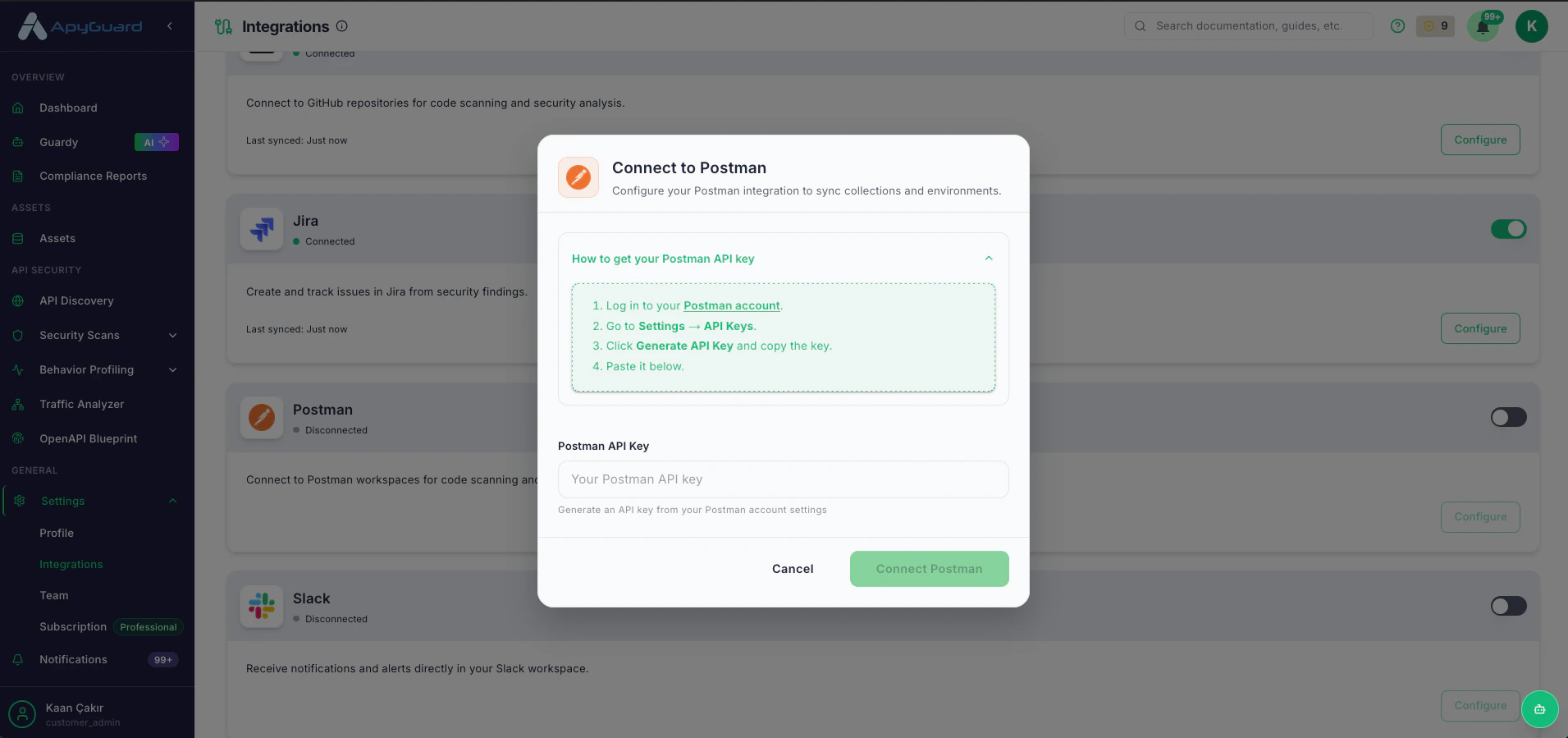 6. Paste your **Postman API key**.
7. Click **Connect** to save and enable the integration.
8. Return to the integrations panel and confirm the Postman card now shows **Connected**.
## After Postman is connected
When the card is connected, the action button changes from **Connect first** to **View collections**. Use that entry point when you want to continue working with Postman-linked collection content.
## Disconnect Postman
1. Go back to **Settings → Integrations**.
2. Find the **Postman** card.
3. Turn the toggle off.
4. Confirm that the status changes to **Disconnected**.
## Related pages
* [Import Collection](/get-started/import-collection)
* [API Collections](/core-workflows/api-collections)
6. Paste your **Postman API key**.
7. Click **Connect** to save and enable the integration.
8. Return to the integrations panel and confirm the Postman card now shows **Connected**.
## After Postman is connected
When the card is connected, the action button changes from **Connect first** to **View collections**. Use that entry point when you want to continue working with Postman-linked collection content.
## Disconnect Postman
1. Go back to **Settings → Integrations**.
2. Find the **Postman** card.
3. Turn the toggle off.
4. Confirm that the status changes to **Disconnected**.
## Related pages
* [Import Collection](/get-started/import-collection)
* [API Collections](/core-workflows/api-collections)