> ## Documentation Index
> Fetch the complete documentation index at: https://docs.apyguard.com/llms.txt
> Use this file to discover all available pages before exploring further.
# Jira
> Use Jira with ApyGuard to route API security findings into issue tracking and remediation workflows.
## Overview
Jira integration helps teams translate findings into actionable follow-up work.
Move important findings into issue tracking workflows for remediation.
Assign clear responsibility for fixing API security issues.
## Connect Jira from the ApyGuard integrations panel
1. Go to **Settings → Integrations**.
2. Open the **Development** tab.
3. Find the **Jira** card.
4. Click **Connect first** or turn the toggle on.
5. In the ApyGuard dialog, enter:
* **Jira URL**
* **Email**
* **API token**
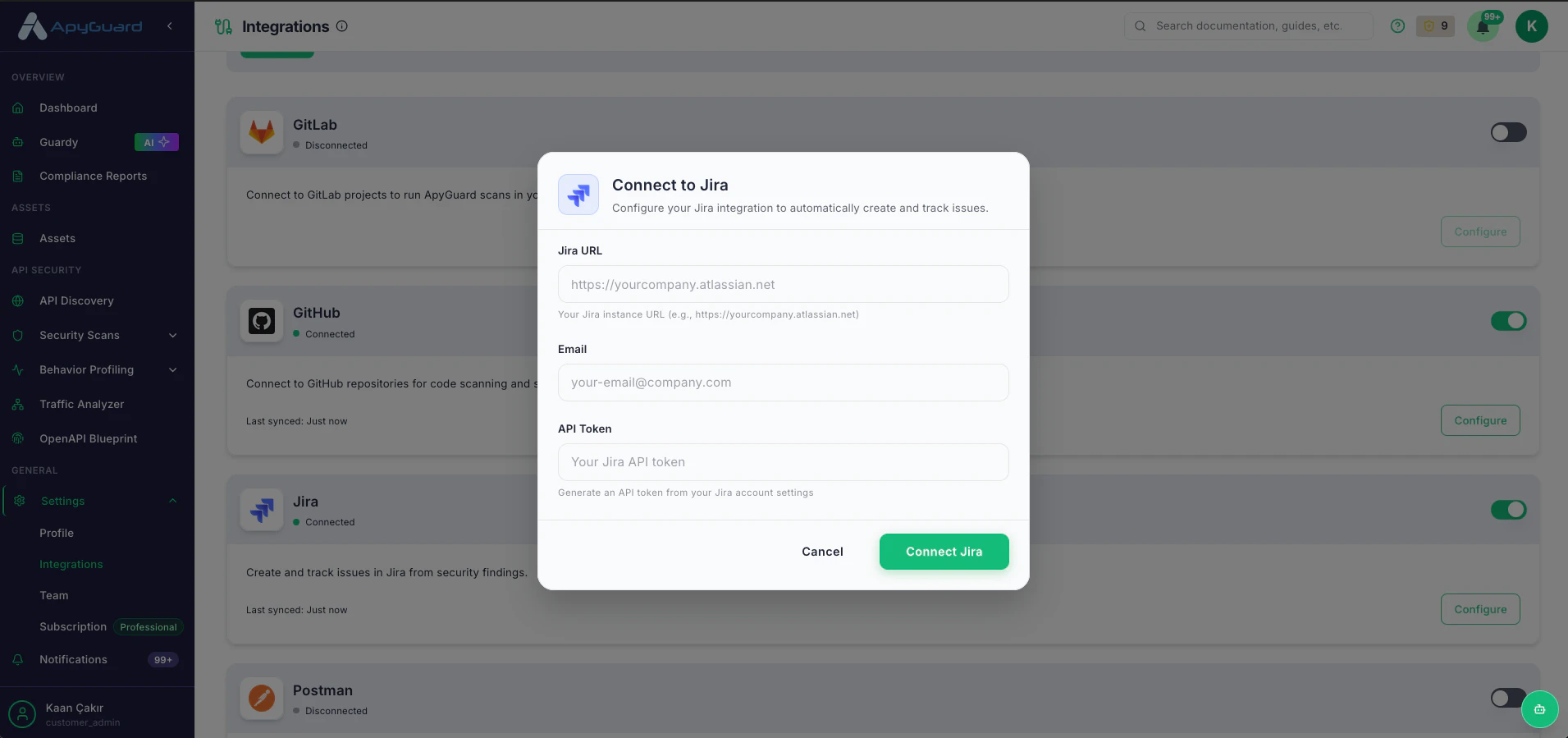 6. Click **Connect** to save the configuration.
7. Return to the integrations panel and confirm the Jira card now shows **Connected**.
## What the dialog asks for
Enter your Jira instance URL, such as `https://yourcompany.atlassian.net`.
Provide the Jira account email and the API token generated from your Jira account settings.
## Disconnect Jira
1. Go back to **Settings → Integrations**.
2. Find the **Jira** card.
3. Turn the toggle off.
4. Confirm that the card returns to **Disconnected**.
## Related pages
* [Integrations Overview](/integrations/overview)
* [Understanding Results](/findings-results/understanding-results)
6. Click **Connect** to save the configuration.
7. Return to the integrations panel and confirm the Jira card now shows **Connected**.
## What the dialog asks for
Enter your Jira instance URL, such as `https://yourcompany.atlassian.net`.
Provide the Jira account email and the API token generated from your Jira account settings.
## Disconnect Jira
1. Go back to **Settings → Integrations**.
2. Find the **Jira** card.
3. Turn the toggle off.
4. Confirm that the card returns to **Disconnected**.
## Related pages
* [Integrations Overview](/integrations/overview)
* [Understanding Results](/findings-results/understanding-results)