> ## Documentation Index
> Fetch the complete documentation index at: https://docs.apyguard.com/llms.txt
> Use this file to discover all available pages before exploring further.
# Import an API Collection
> Import your API specification or collection into ApyGuard so endpoints can be organized, scanned, and monitored effectively.
## Overview
API collections help ApyGuard understand the endpoints, request patterns, and structure of the APIs you want to assess.
## Supported inputs
ApyGuard works best when you provide a current API definition such as:
* OpenAPI 3.x
* Swagger 2.0
* Postman collections
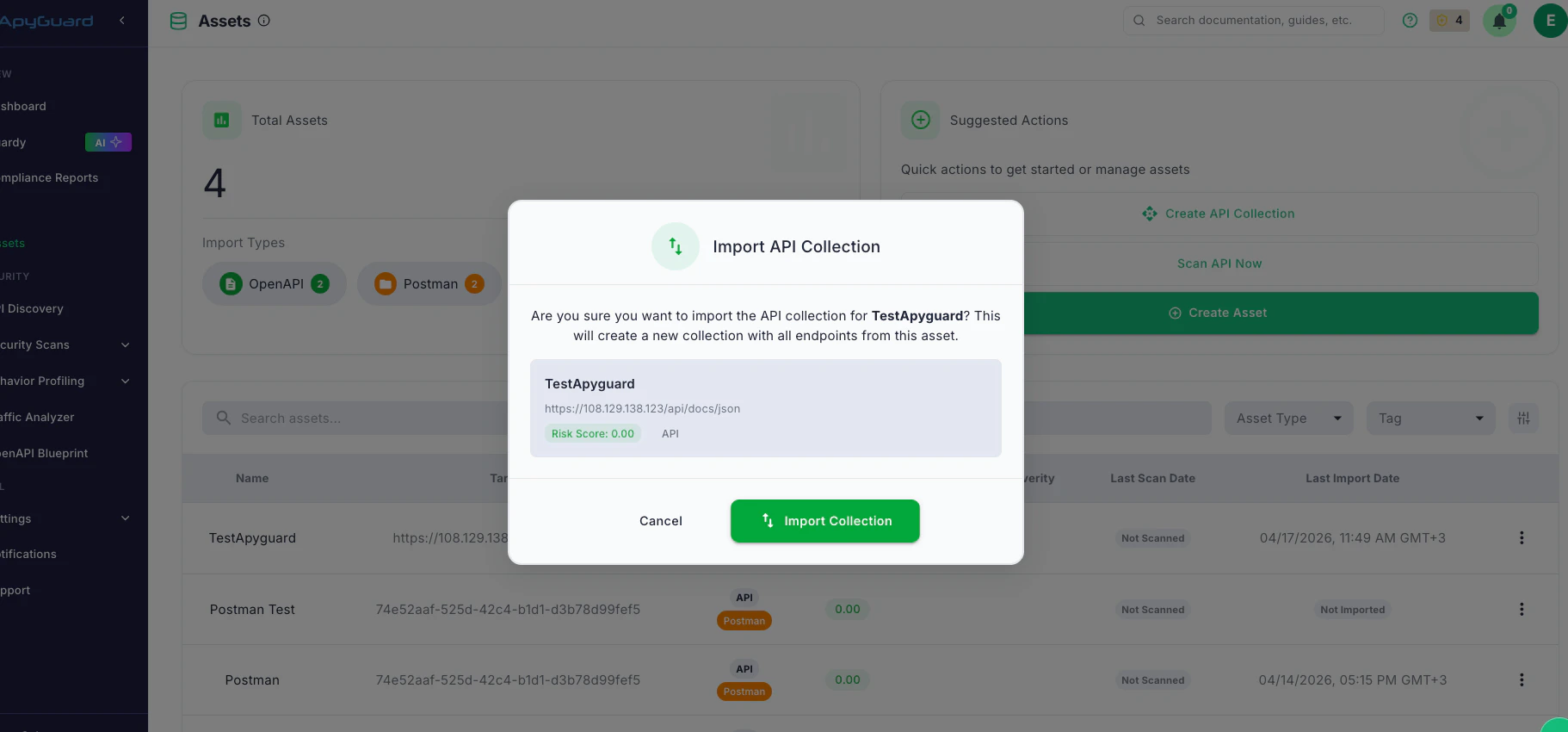
## Import flow
1. Open the API collection import flow from the relevant asset.
2. Choose the source format.
3. Upload the file or provide the import source.
4. Review the imported endpoints.
5. Save the collection and verify that the expected API surface is present.
 ## Best practices
* Keep your specification current with backend changes
* Separate collections by environment when needed
* Review imported endpoints before scanning
* Re-import when your API changes materially
## Next steps
Configure access for protected endpoints in the imported collection.
Use the imported collection in a scan workflow.
## Best practices
* Keep your specification current with backend changes
* Separate collections by environment when needed
* Review imported endpoints before scanning
* Re-import when your API changes materially
## Next steps
Configure access for protected endpoints in the imported collection.
Use the imported collection in a scan workflow.