> ## Documentation Index
> Fetch the complete documentation index at: https://docs.apyguard.com/llms.txt
> Use this file to discover all available pages before exploring further.
# Credentials
> Manage API credentials in ApyGuard for token-based, login-based, OIDC, and OAuth2 authentication workflows.
## Overview
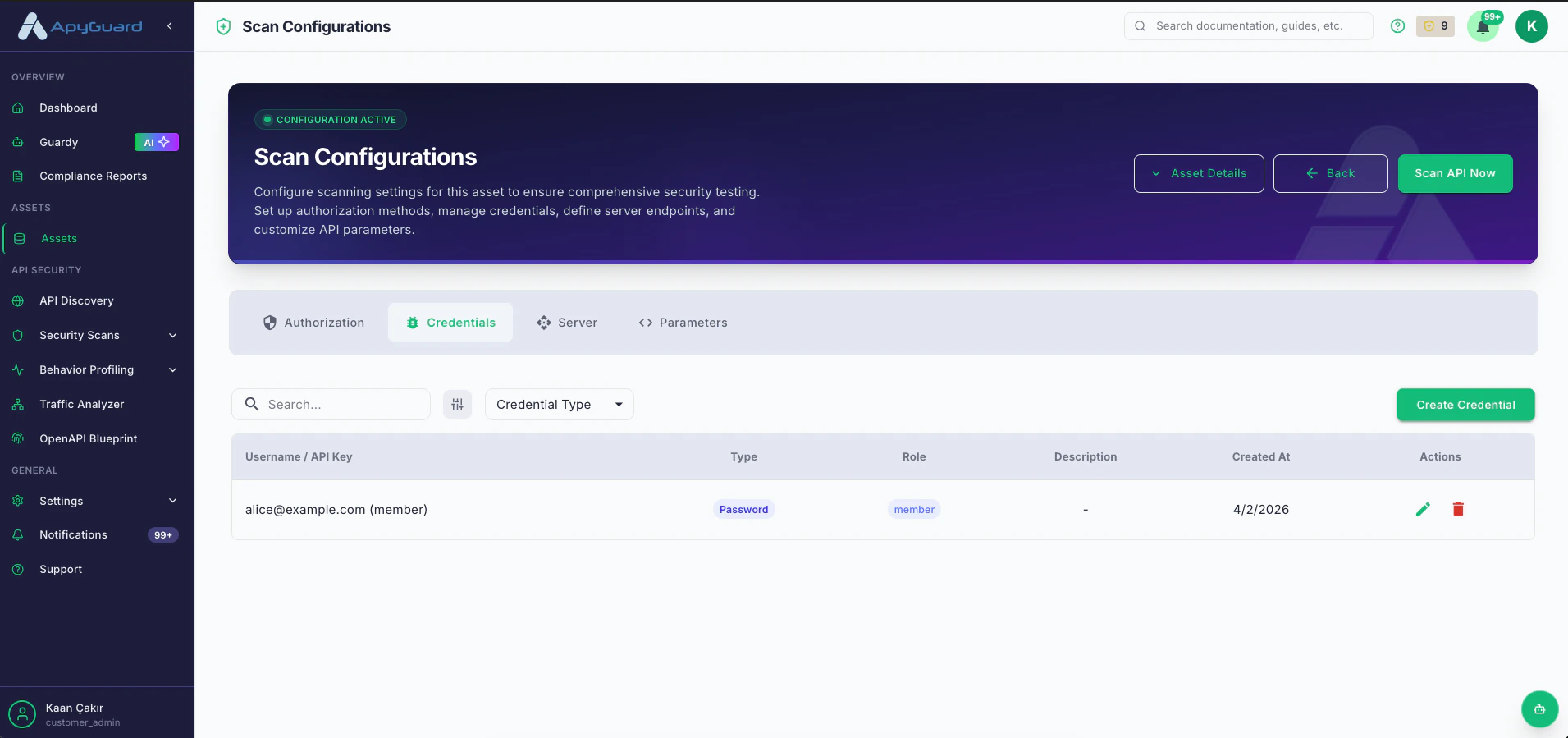
Credentials store the access details ApyGuard needs for authenticated testing. They can represent user identities, service identities, API keys, or OAuth client applications.
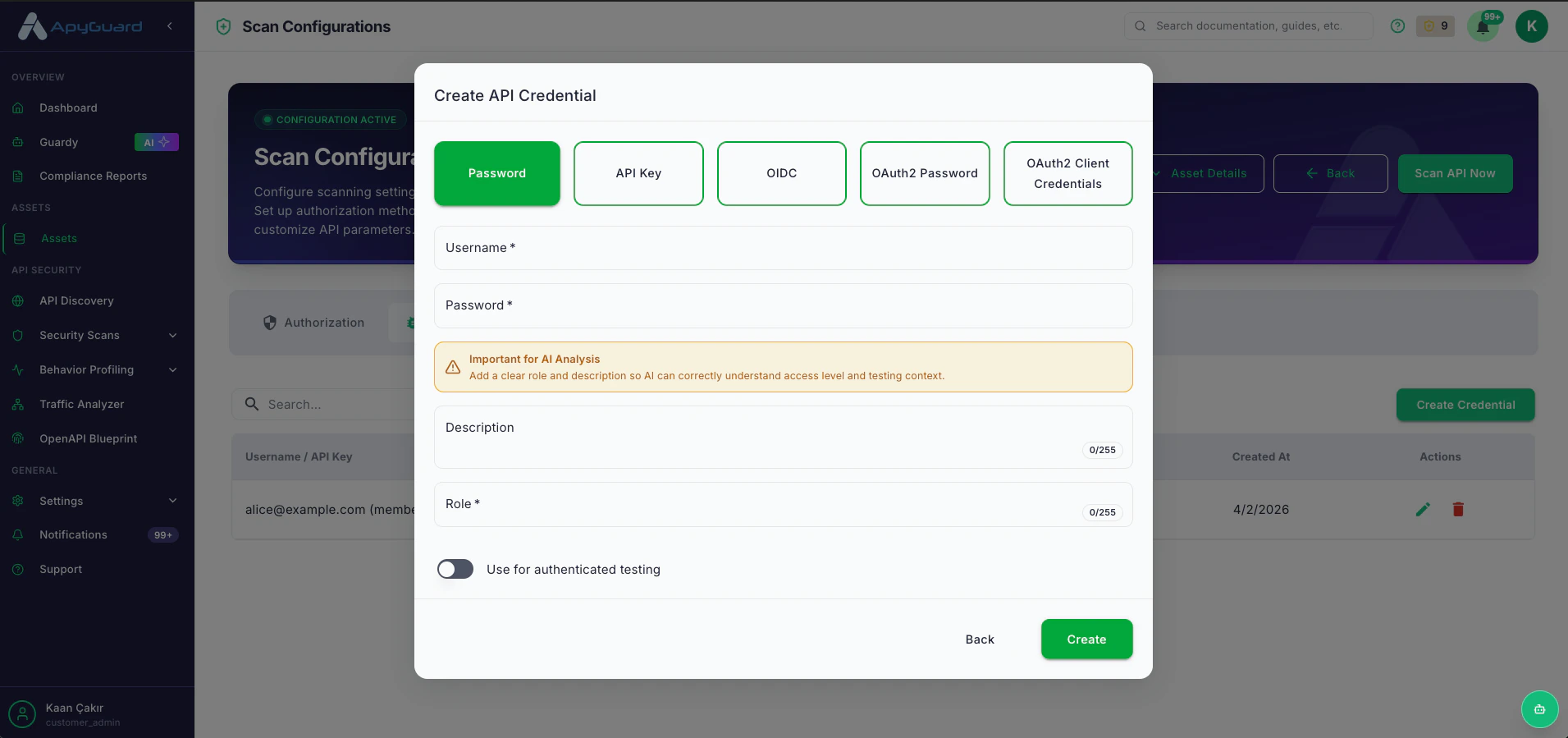
Use username and password combinations for login-based authentication flows.
Store API keys or related identifiers used for static token authentication.
Save client ID, client secret, and scopes for OpenID Connect flows.
Create password grant or client credentials grant records for OAuth2 authentication.
## What to include
* Role name
* Description
* Environment-appropriate secrets
* Scope values when needed
* Whether the credential should be used for authenticated testing
 ## Best practices
* Use descriptive roles like `Admin`, `Support`, or `Integration Bot`
* Keep descriptions clear so scan results are easy to interpret
* Separate credentials by environment
* Review and rotate credentials after security changes
## Related pages
* [Authorization Settings](/core-workflows/authorization-settings)
* [Authentication Overview](/authentication/overview)
* [Predefined Token](/authentication/predefined-token)
## Best practices
* Use descriptive roles like `Admin`, `Support`, or `Integration Bot`
* Keep descriptions clear so scan results are easy to interpret
* Separate credentials by environment
* Review and rotate credentials after security changes
## Related pages
* [Authorization Settings](/core-workflows/authorization-settings)
* [Authentication Overview](/authentication/overview)
* [Predefined Token](/authentication/predefined-token)