> ## Documentation Index
> Fetch the complete documentation index at: https://docs.apyguard.com/llms.txt
> Use this file to discover all available pages before exploring further.

# Authorization Settings

> Create and manage authorization settings in ApyGuard to control how scans authenticate and evaluate protected API behavior.

## Overview

Authorization settings define how ApyGuard gains access to protected endpoints during testing. They connect authentication method, token behavior, credentials, and role-based expectations into one reusable configuration.

<CardGroup cols={2}>
  <Card title="Method selection" icon="list-checks">
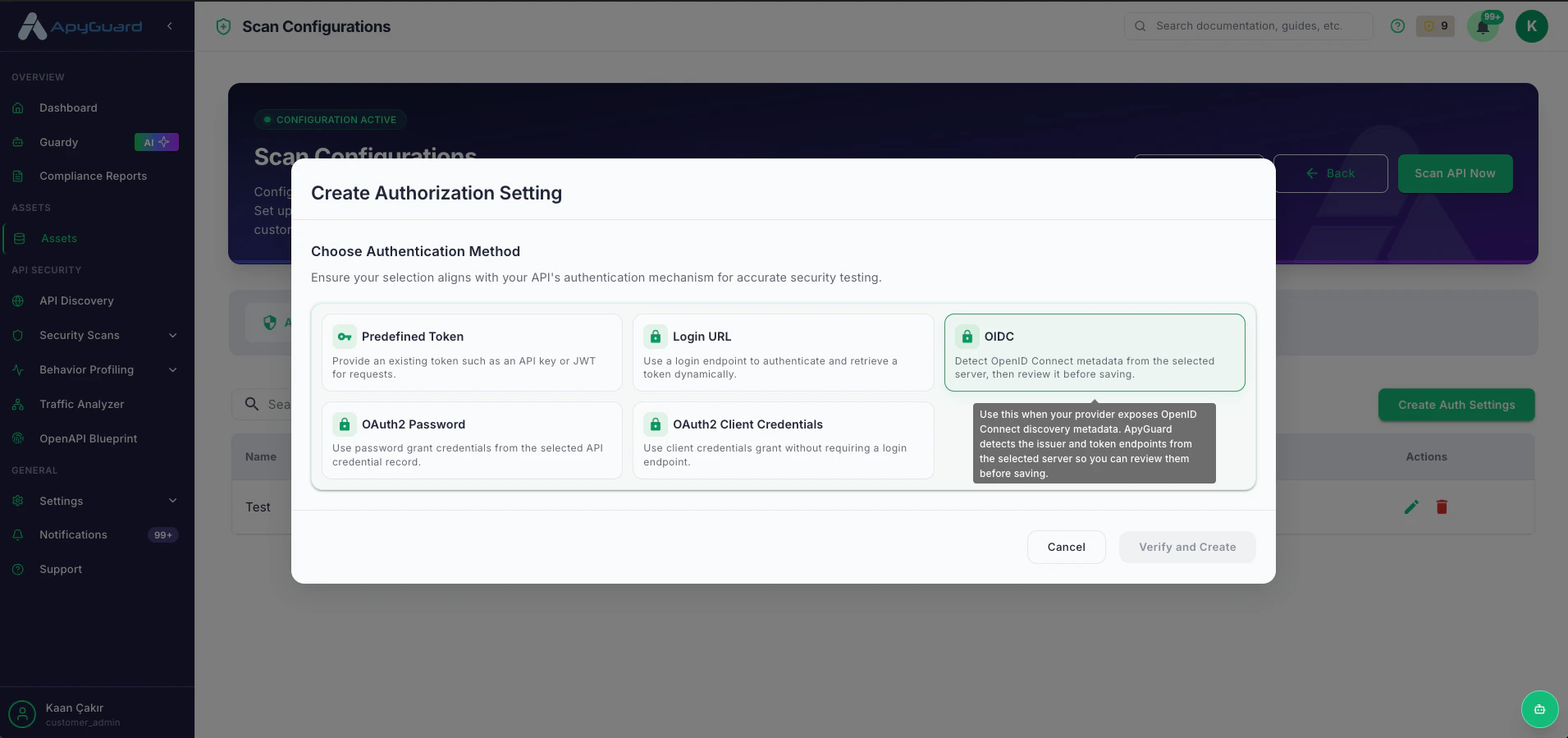
    Choose the auth flow that matches your API, such as Predefined Token, Login URL, OIDC, or OAuth2.
  </Card>

  <Card title="Token behavior" icon="badge-check">
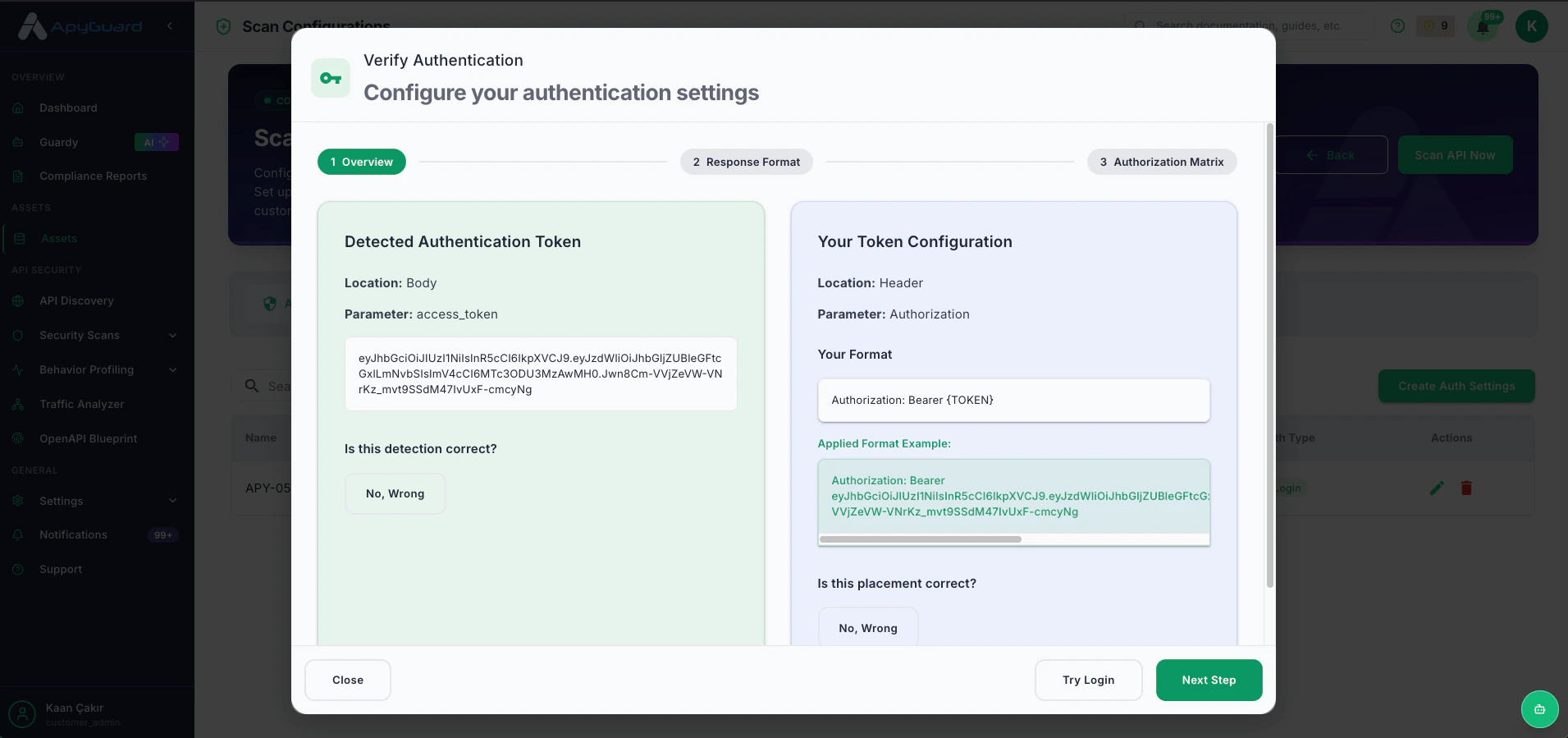
    Define token format and where the token should appear in requests.
  </Card>

  <Card title="Credential linking" icon="user-round-check">
    Attach the credential records needed to authenticate successfully.
  </Card>

  <Card title="Role-aware testing" icon="table-properties">
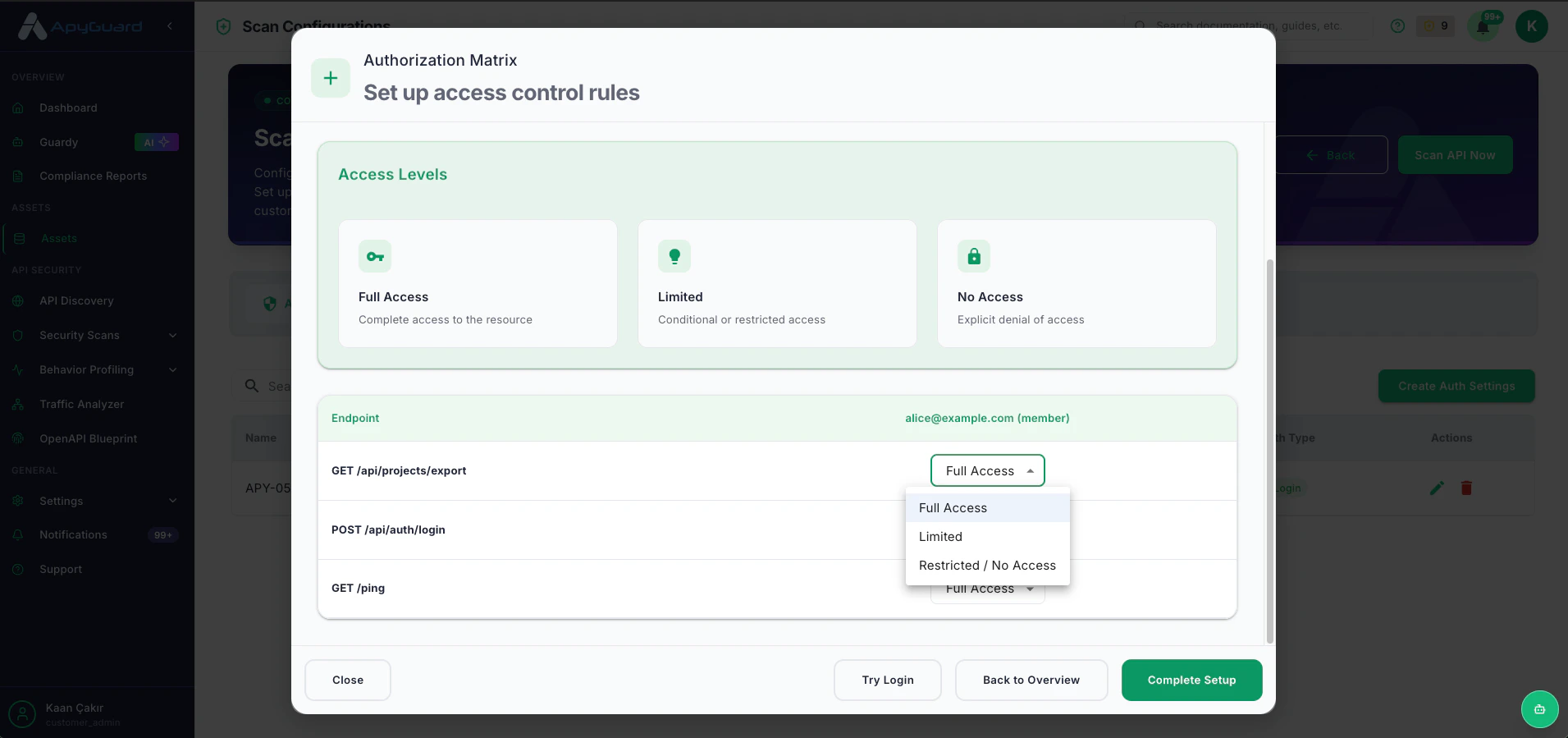
    Support authorization matrix testing for different access levels and API behaviors.
  </Card>
</CardGroup>

## Typical setup flow

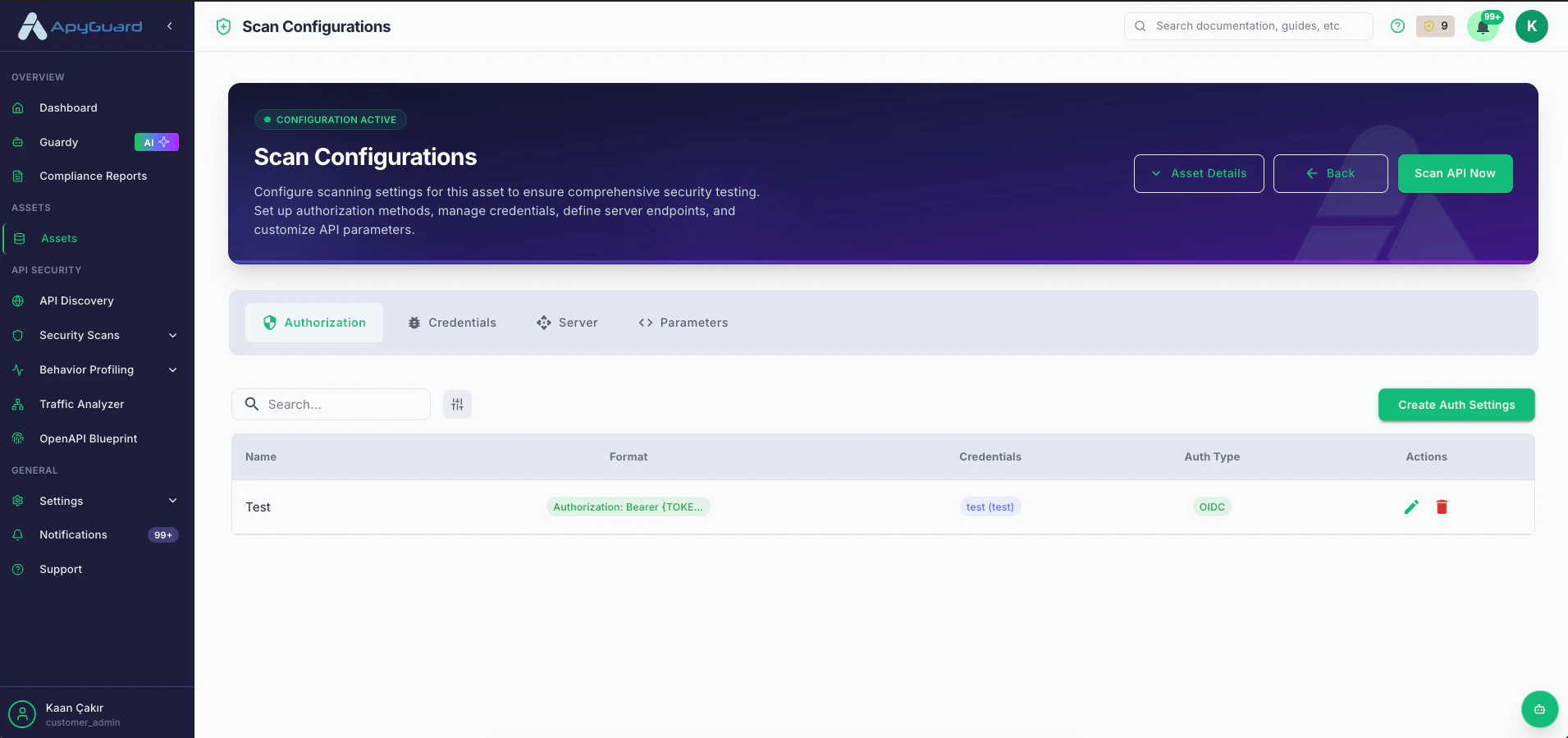
1. Create a new authorization setting.
   <Frame>
     <img src="https://mintcdn.com/apyguard-390a5608/qk85_EKOZHWubuMo/images/Screenshot-2026-05-12-at-10.10.40.png?fit=max&auto=format&n=qk85_EKOZHWubuMo&q=85&s=e5357be7c2d6637c055284100cc6d23a" alt="Screenshot 2026 05 12 At 10 10 40" width="1911" height="899" data-path="images/Screenshot-2026-05-12-at-10.10.40.png" />
   </Frame>
2. Choose the correct authentication method.
   <Frame>
     <img src="https://mintcdn.com/apyguard-390a5608/qk85_EKOZHWubuMo/images/Screenshot-2026-05-12-at-10.10.47.png?fit=max&auto=format&n=qk85_EKOZHWubuMo&q=85&s=89c8e55f5583cfcf013bdba9b22f4bbb" alt="Screenshot 2026 05 12 At 10 10 47" width="1911" height="899" data-path="images/Screenshot-2026-05-12-at-10.10.47.png" />
   </Frame>
3. Add or select credentials.
   <Frame>
     <img src="https://mintcdn.com/apyguard-390a5608/qk85_EKOZHWubuMo/images/Screenshot-2026-05-12-at-10.11.10.png?fit=max&auto=format&n=qk85_EKOZHWubuMo&q=85&s=46281e03611ef217ba0b4f433d88bd4c" alt="Screenshot 2026 05 12 At 10 11 10" width="1911" height="899" data-path="images/Screenshot-2026-05-12-at-10.11.10.png" />
   </Frame>
4. Configure token format and token location.
   <Frame>
     <img src="https://mintcdn.com/apyguard-390a5608/qk85_EKOZHWubuMo/images/Screenshot-2026-05-12-at-10.18.25.png?fit=max&auto=format&n=qk85_EKOZHWubuMo&q=85&s=b8501eef5182af92e61d7d4f58e5e900" alt="Screenshot 2026 05 12 At 10 18 25" width="1911" height="899" data-path="images/Screenshot-2026-05-12-at-10.18.25.png" />
   </Frame>
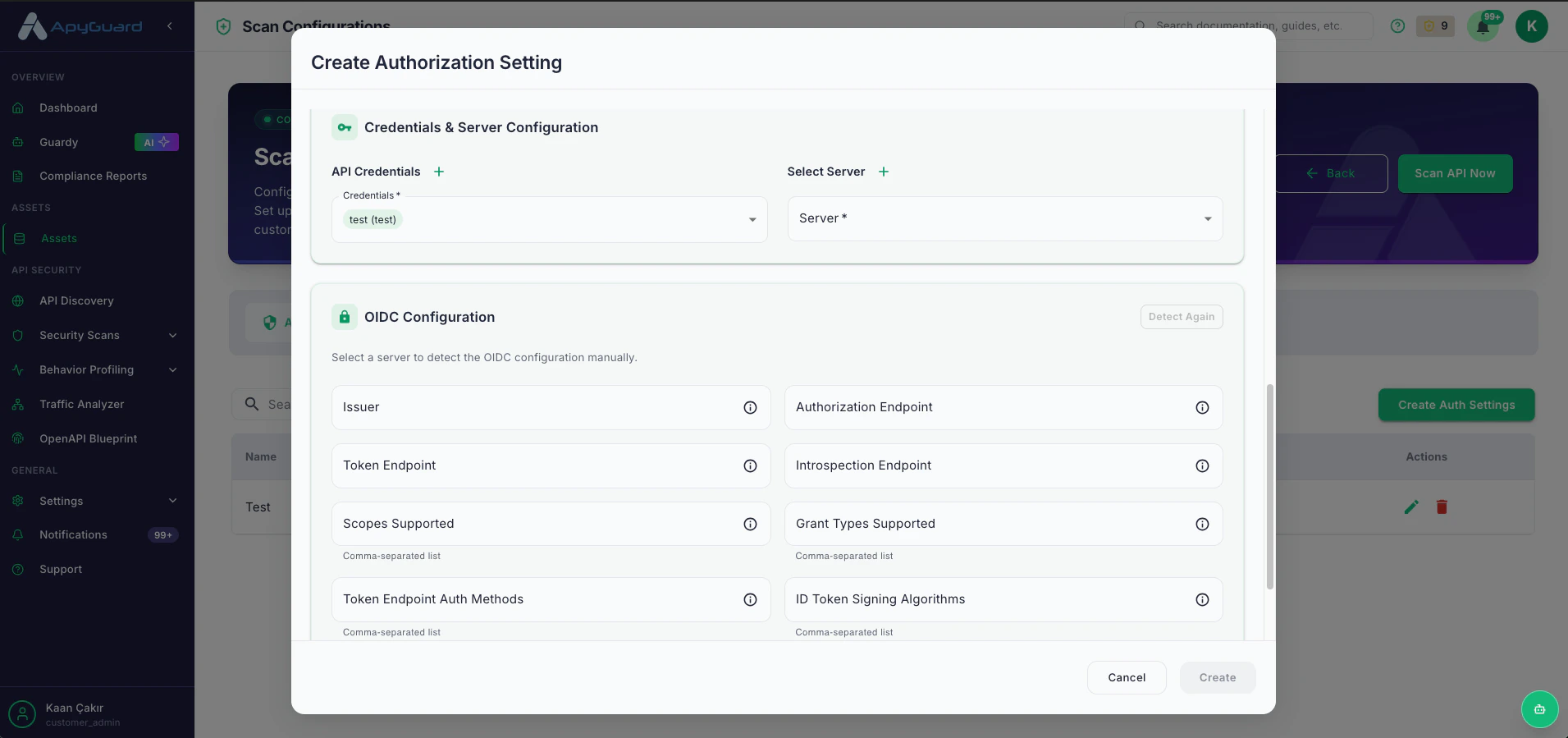
5. Review server-detected metadata for OIDC or OAuth2 flows.
   <Frame>
     <img src="https://mintcdn.com/apyguard-390a5608/qk85_EKOZHWubuMo/images/Screenshot-2026-05-12-at-10.11.10.png?fit=max&auto=format&n=qk85_EKOZHWubuMo&q=85&s=46281e03611ef217ba0b4f433d88bd4c" alt="Screenshot 2026 05 12 At 10 11 10" width="1911" height="899" data-path="images/Screenshot-2026-05-12-at-10.11.10.png" />
   </Frame>
6. Adjust authorization matrix for your discovered endpoints
   <Frame>
     <img src="https://mintcdn.com/apyguard-390a5608/qk85_EKOZHWubuMo/images/Screenshot-2026-05-12-at-10.18.39.png?fit=max&auto=format&n=qk85_EKOZHWubuMo&q=85&s=ec34167bfa41dd9e11711881d30c5ae4" alt="Screenshot 2026 05 12 At 10 18 39" width="1911" height="899" data-path="images/Screenshot-2026-05-12-at-10.18.39.png" />
   </Frame>

## Related pages

* [Authentication Overview](/authentication/overview)
* [Credentials](/core-workflows/credentials)
* [Login URL](/authentication/login-url)